ArcPoses
ArcPoses are a custom solution developed by Apex Pathing to keep spline generation trivially easy. Defined by a target position and an associated radius, ArcPoses effectively force a spline into a sharper, more controlled arc around that specific point without needing to micromanage a complex web of control points. Essentially, ArcPoses facilitate intricate, advanced pathing in a more efficient way by reducing the number of control points required and handling the math with the user ever needing to perform a single calculation.
Why use ArcPoses?
To best understand why ArcPoses are so incredibly helpful, let’s look at a case study using the field from the 2023-2024 FIRST Tech Challenge season, Centerstage.
In this game, a highly desirable trajectory involved grabbing white pixels from the audience side of the field and bringing them to the backdrops to be scored.
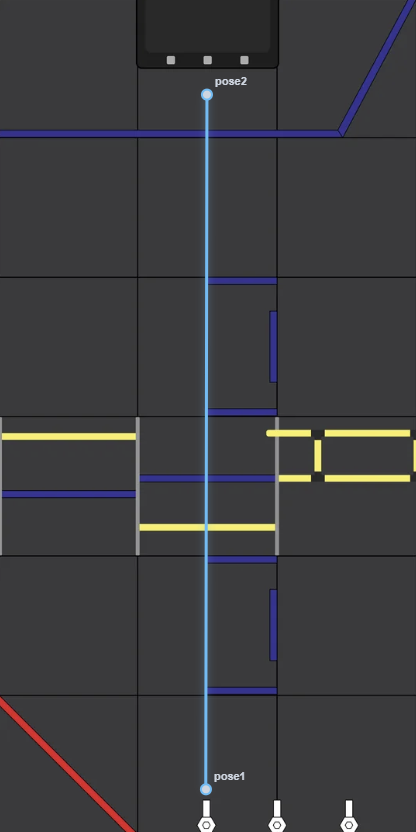
However, this straightforward trajectory is a problem. It wouldn’t work in a real match because field elements (such as purple pixels or markers) are directly in the way that risk being de-scored or hindering the robot’s movement. The logical solution is to route through the alternative opening to the left, shaping the trajectory like this:
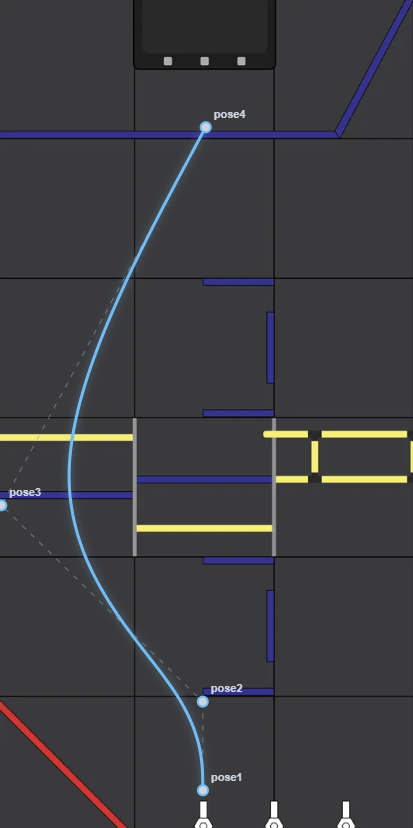
This presents a new problem: the robot will collide with the field structure. To avoid this our instinct might be to add another control point to pull the path away from the obstacles.
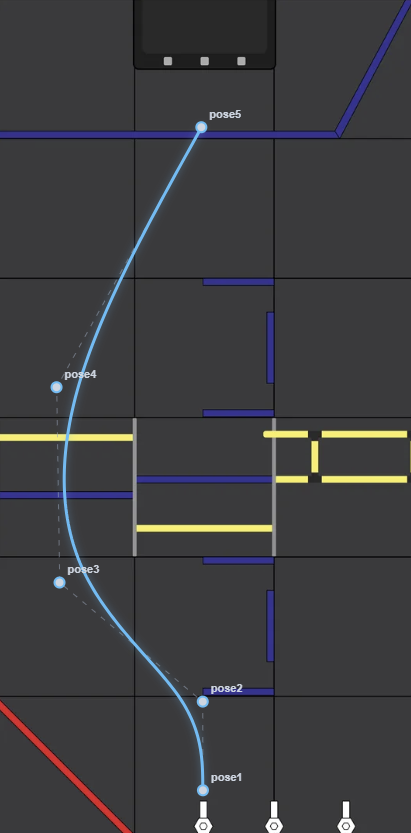
However, the margin for error is still uncomfortably tight. The spline comes alarmingly close to the field structure, and a straight, safe line through the opening is not guaranteed. To fix this, we have to add even more control points to constrain the path.
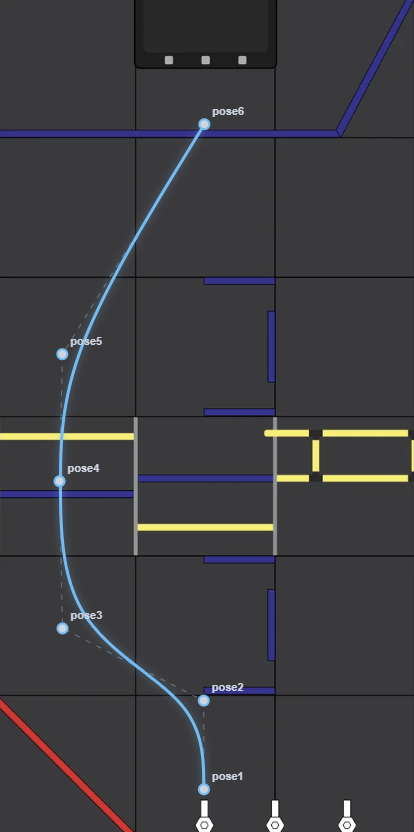
Nice! We finally have a path shaped exactly how we want it, all thanks to the local control of the B-Spline.
However, it would be far easier—and cleaner—if we had just utilized ArcPoses. Let’s see what happens when we replace poses 3 and 5 with ArcPoses and delete pose 4:
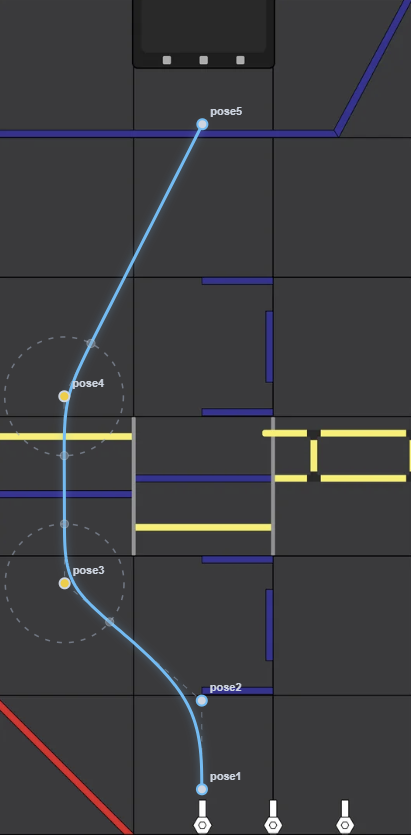
The trajectory goes exactly where we want it, but with one less pose! Our API is simplified, the codebase is cleaner, and the poses—though not directly interpolated—are far closer to where you would intuitively expect them to go on the field.
How do ArcPoses work?
ArcPoses work by dynamically generating two extra “invisible” control points on the spline. These points are placed exactly \(R\) distance away from the ArcPose coordinate, plotted along the vectors pointing toward the two adjacent poses.
Because they rely on adjacent poses to determine their direction, ArcPoses cannot be placed on the endpoints of a path (as endpoints lack two neighbors). Furthermore, to maintain path stability, Apex Pathing will prevent you from generating ArcPoses if two of them are placed so closely together that their generated control points overlap.
The secret to an ArcPose’s effectiveness lies in how these basis functions distribute influence.
Localized Influence
In a B-Spline, the basis function \(N_{i,p}(t)\) dictates how strongly a control point \(P_i\) pulls on the curve at any time \(t\). Crucially, this function drops to exactly zero outside a specific, localized window. This means each control point only influences a small, dedicated segment of the overall path.
ArcPoses cleverly exploit this phenomenon. Because a control point’s influence is mathematically quarantined, we achieve true local control.
When an ArcPose dynamically injects its two extra control points \(R\) distance away, those points act as localized magnets. They concentrate their pull to force the path sharply through an exact area (like a gap in the rigging). However, since their basis functions equal zero everywhere else, the rest of the path will remain largely unaffected.