Apex Pathing Installation
Apex is still in the testing phase, so these docs are primarily meant for beta testers. These instructions will continue to change before release.
Clone the repository
If you want to make your own fork of the repository before cloning, that is fine.
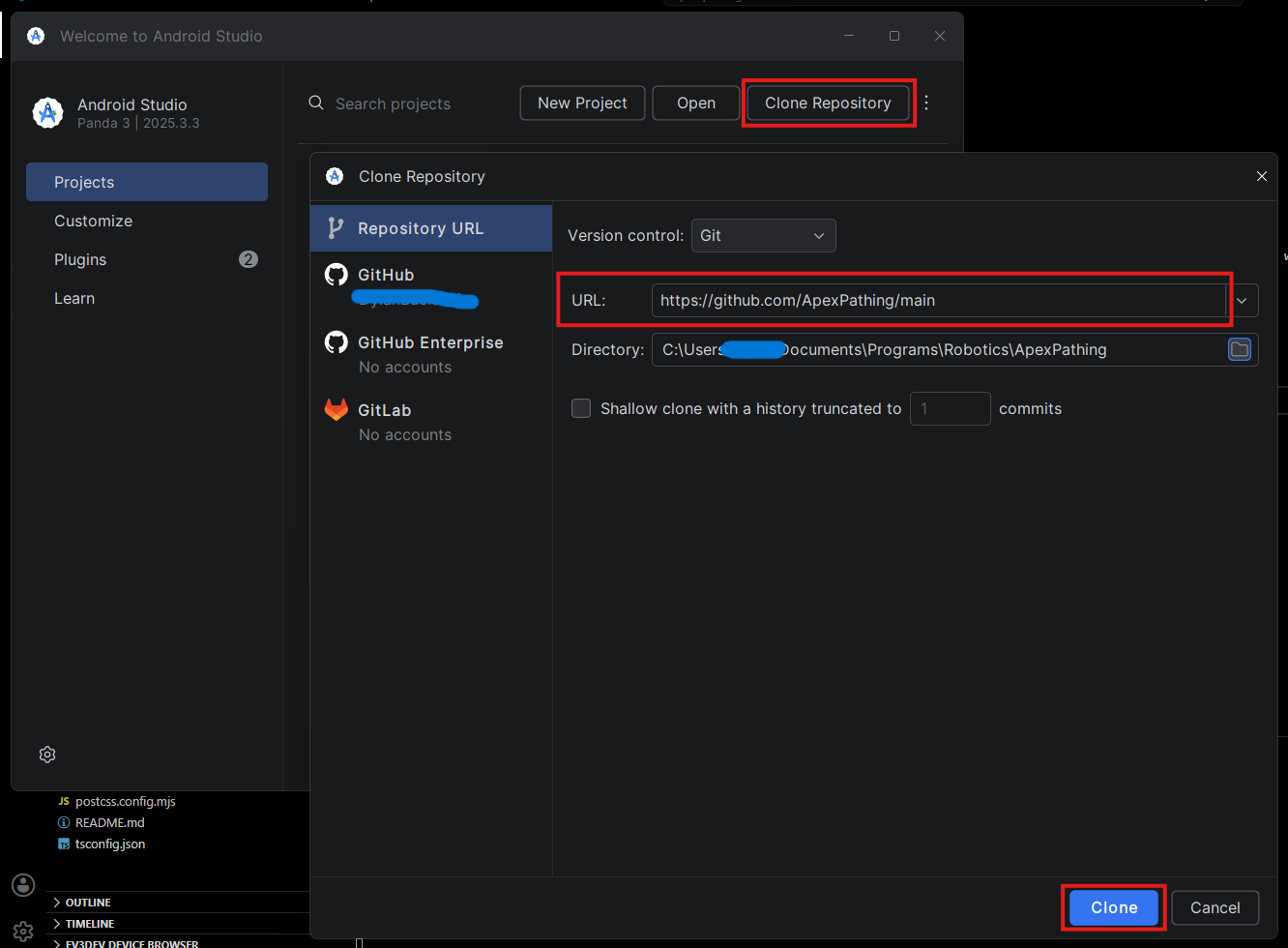
- Open Android Studio and select “Clone Repository” on the welcome screen.
- In the “URL” field, enter the URL of the Apex Pathing GitHub repository:
https://github.com/ApexPathing/ApexPathing/ - Choose a directory on your computer where you want to clone the project.
- Click the “Clone” button to start the cloning process.
Remote dependencies will be coming soon!
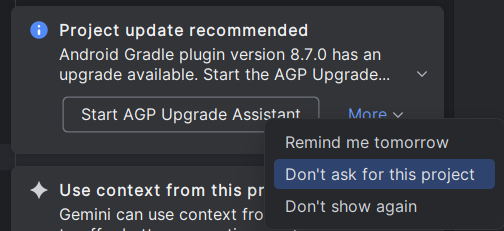
When Android Studio opens, you may see this message, press More -> Don’t ask again for this project
Once the cloning process is complete, Android Studio will automatically open the project. This concludes the installation process. Congratulations! You are now ready to setup your project.
What’s next?
Once you have the project cloned, head over to the Constants Setup page.
Last updated on